Skip to Main Content

Library Search

Welcome to the new Library search, where you can search and access: books, articles, ebooks and other resources, plus access your Library card and other services.

How to sign in

Select Sign in

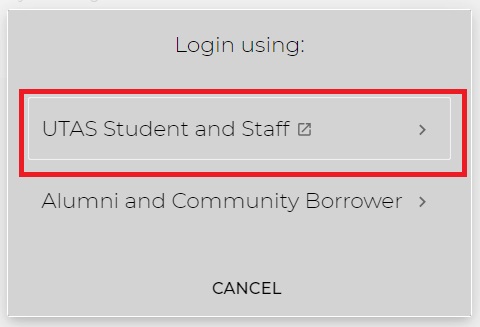
Select UTAS Student and Staff and enter your UTAS credentials to sign in.
Or,

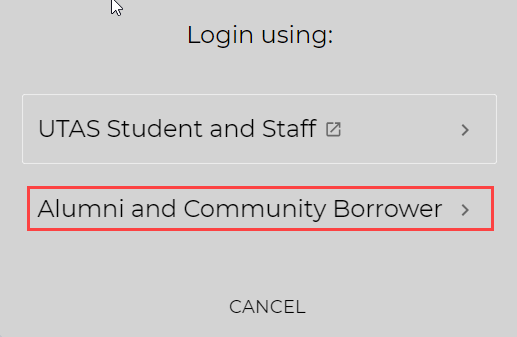
Select Alumni and Community Borrower and enter your community borrower ID and password. If you need your password reset contact us.

Example: CB800123
Why Sign in to Library search?

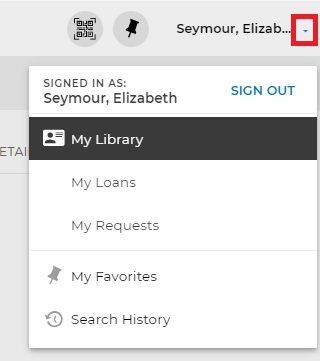
Sign in to access My Library

  • My Loans to renew books and other items
  • See My Requests and track status
  • Open My Favorites to see
    • saved records you have pinned and saved to read
    • latest list of your saved searches
    • your session search history 
  • View full text results - some databases only show their full text when you're signed in.